
Spam Calls Blocker for Android
AI Phone CallCommunication
4.4580.00 Reviews
- Version
- 2.6.0
- Installs
- 100.00K
- Age Rating
- Everyone
Screenshots

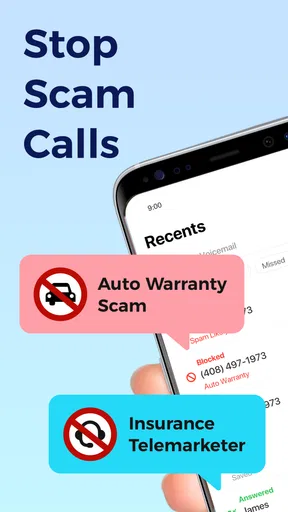
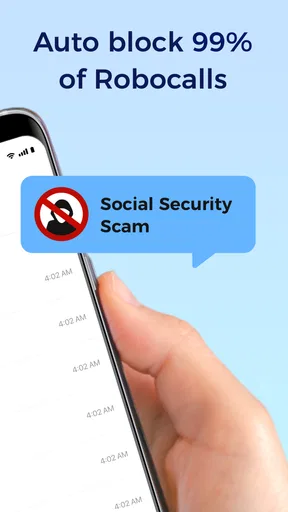
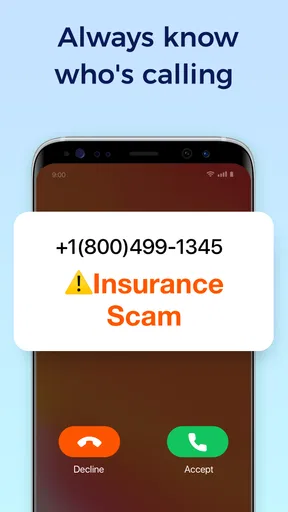
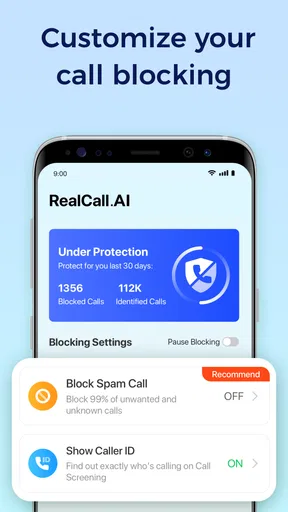
Our Review of Spam Calls Blocker for Android
 Analysis by Appyee
Spam calls are most annoying when they interrupt something that already depends on your phone: a work conversation, a map route, a delivery update, or a quiet evening when you finally put the device down. I tested Spam Calls Blocker with that everyday problem in mind, and I found its value is less about making the phone feel smarter and more about reducing the number of calls that deserve my attention. It is a communication app from AI Phone Call focused on identifying and blocking unwanted calls, including scam and automated calls.
The first thing I noticed is that this is not a replacement for the phone app. It works alongside the normal calling experience, adding a layer of screening for numbers that may be suspicious. That distinction matters. If you want a complete calling service, a second phone number, or a messaging platform, this is not aimed at you. If your main frustration is deciding whether an unfamiliar number is worth answering, its purpose is much clearer.
My overall impression is that Spam Calls Blocker is most useful as a quiet filter rather than a dramatic all-in-one security tool. It can make an Android phone less disruptive, but the quality of the experience depends on how confidently it can recognize a number and how comfortable you are with automated decisions about incoming calls.
What happens when a suspicious call arrives
In a normal day, the app matters at the exact moment a call comes in. A number appears, I hesitate, and I have to choose between answering an unknown caller or letting a potentially important call go unanswered. A dedicated spam blocker changes that decision by attempting to identify unwanted calls before I spend time on them.
That is especially helpful for people who receive repeated robocalls. The benefit is not simply avoiding one interruption. It is the reduced mental effort of handling the same kind of interruption again and again. Instead of searching a number manually, waiting through a recording, or returning to a call history full of suspicious entries, I can let the app take part in the first screening step.
The network connection becomes relevant here. Identification of unfamiliar numbers is the kind of task that may rely on current information, so I would not treat the app as a completely self-contained shield in every situation. When reception is weak or mobile data is restricted, I would be more cautious about assuming that every call will be classified in the same way. The safest habit is to regard the app as assistance, not as permission to ignore every unknown call automatically.
This is also where expectations need to stay realistic. A spam label is not a guarantee that a caller is dangerous, just as an unmarked number is not proof that it is trustworthy. A local business, clinic, school, courier, or new client may call from a number that has little public history. I still prefer to check the context before blocking something permanently, particularly when I am expecting a call from an organization I have not contacted before.
Why the app is more useful during busy routines
The strongest use case is a phone that receives many calls but is not used exclusively for personal conversations. I can imagine it helping a freelancer who publishes a number on invoices, a parent who needs to remain reachable, or a small business owner who cannot simply silence all unfamiliar callers. These users need a compromise: fewer interruptions without making the phone unreachable.
It can also help people who are less comfortable judging suspicious calls. Scam callers often create urgency, use official-sounding language, or rely on the recipient answering before thinking. A blocker does not replace awareness, but it moves some of the decision-making earlier, before a conversation begins. That small pause can be valuable.
On the other hand, someone who receives very few unwanted calls may not notice a major difference. Android already includes basic calling controls, and many phone manufacturers provide spam warnings of their own. For a quiet phone, adding another layer may feel unnecessary. The app makes more sense when unwanted calls are frequent enough to create a real daily nuisance.
Using it while moving between places
Mobile contexts reveal both the convenience and the limits of a call-filtering app. At home, I have time to inspect a caller and decide what to do. On public transport, while shopping, or during a commute, I am more likely to answer reflexively because I am already handling other tasks. A warning or automatic block can be useful precisely because my attention is divided.
There is a practical difference between a call that arrives while I am looking at the screen and one that arrives when the phone is in a pocket or bag. In the first case, I can evaluate the information shown. In the second, the app's value is mainly reducing the number of interruptions that demand immediate action. That makes it a good fit for people who use their phones in short bursts rather than sitting beside them all day.
Travel creates a different trade-off. A number that looks unfamiliar may be important when I am away from home: a hotel, transport provider, medical office, or local service may use a number I do not recognize. I would avoid aggressive blocking during a trip unless I had already reviewed how the app handles suspicious calls. Screening is useful, but travel increases the cost of a false positive.
Connectivity can shape the timing of the experience as well. If the phone is moving between networks or operating with limited reception, I would expect less certainty around any feature that needs current caller information. I would keep the ordinary call history available and check it after a missed call rather than assuming that silence means the caller was unimportant.
A realistic everyday scenario
Imagine receiving several calls during a workday while waiting for a genuine callback. One call comes from a number I do not know, followed shortly by another with a similar pattern. Without a blocker, I might answer the first, listen to a recording, and spend the rest of the day wondering whether the next call is another interruption. With Spam Calls Blocker in place, the unwanted calls can be screened while I remain available for the callback I actually need.
The important detail is that I would not use the app as a reason to stop checking legitimate unknown calls. I would review missed calls, voicemail, or follow-up messages when appropriate. The app reduces noise; it does not understand my personal schedule as well as I do.
For older relatives or anyone who is regularly pressured by nuisance callers, I would introduce the app slowly. I would explain that a blocked or flagged call should not be treated as absolute proof of fraud, and I would show them how to recognize a call they were genuinely expecting. The human explanation is just as important as the software.
Where the experience can fail and how I would recover
No caller-identification system can make perfect decisions. Numbers change hands, legitimate organizations use shared lines, and scammers can imitate familiar calling patterns. The most important limitation is therefore not whether the app blocks something, but whether I have a simple way to recover when the classification is wrong.
My approach would be conservative at first. I would observe how incoming calls are handled before relying on the strongest blocking behavior. If an expected call does not arrive, I would check the call history and any available indication that it was filtered. I would also keep important contacts saved clearly, because a well-organized contact list reduces the number of legitimate calls that appear unknown in the first place.
A false positive is more serious than a missed nuisance call when I am waiting for a doctor, employer, school, delivery driver, or family member. In those situations, I would temporarily favor review over automatic rejection. The right setting is not the same for everyone: a person drowning in robocalls may accept more aggressive filtering, while someone waiting for an urgent callback may prefer more control.
There is a second kind of failure: the app may not identify a newly used spam number immediately. That does not make it useless, but it means I should not interpret an unmarked call as safe. I still avoid sharing passwords, payment details, verification codes, or personal information during an unexpected call. The app can support that habit, but it cannot replace it.
If the application stops behaving as expected, I would begin with simple checks rather than assuming the service is broken. I would confirm that the phone still permits the app to participate in call screening, check whether network access is available, and review whether the phone's own call settings are overriding or duplicating its behavior. Android devices differ by manufacturer, so the exact interaction may feel different from one handset to another.
This is one reason I would not install it and immediately forget about it. A call blocker sits close to a critical phone function. After an operating system change, a phone migration, or a change in default calling settings, I would place a little attention on whether expected calls still arrive normally. That small check can prevent an important contact from being filtered without my noticing.
When another option may be better
Android's built-in spam controls may be enough for someone who wants minimal setup and already has reliable warnings from the phone manufacturer. A carrier's own call-protection service may be preferable to a separate app for people who want filtering integrated directly into their mobile account. A manual block list is also a reasonable choice for someone who receives only a few repeat offenders and does not want broader identification.
I would choose Spam Calls Blocker over manual blocking when the problem is volume rather than one persistent number. I would choose a simpler built-in option when I want fewer moving parts or when the phone already handles unwanted calls well. The app's usefulness is strongest in the middle: more help than a single block button, but not a substitute for a complete phone-security strategy.
Data-conscious use on a mobile connection
Because this is a communication tool, I would pay attention to how it fits into a limited data plan. Caller identification may require access to current information, and network conditions can affect how quickly that information is available. I would avoid making assumptions about offline behavior and instead use the app most confidently when the phone has a stable connection.
That does not mean I would constantly monitor data usage. It means I would be sensible about where the app is most valuable. On a normal mobile connection, its screening role is convenient. In a location with poor service, I would treat the phone's standard call history and my own judgment as the backup. If I were traveling internationally or using a tightly restricted data plan, I would review the phone's network settings before depending on any online identification process.
A useful habit is to separate call protection from general privacy decisions. Blocking nuisance calls does not automatically explain what information is used to identify them, and I would read the app's current permission and privacy explanations before granting access. I would also compare its behavior with the privacy controls offered by my Android phone and mobile provider.
The free price makes trying it straightforward, but the presence of in-app purchases means I would pay attention to which functions remain available without payment. The available purchase range runs from a few dollars to considerably more per item, so I would not assume that every protection option is included at no cost. I would first test whether the basic experience solves my problem before paying for anything.
That approach is particularly important for occasional callers. If I only receive a handful of unwanted calls each month, a paid upgrade may not offer enough practical value. If nuisance calls are frequent and the app saves repeated interruptions, the calculation changes. I would judge it by the time and stress saved, not by the number of features shown on a purchase screen.
What the app feels like for different Android users
Spam Calls Blocker supports Android devices running version seven or later, which gives it a broad potential audience. For someone using an older but compatible phone, that can be useful because replacing the handset is not required simply to try a focused call-screening tool. Still, older devices may present different system menus and default call applications, so setup can feel less uniform than the simple purpose of the app suggests.
The current release is version 2.5.5. I would keep the app updated through the normal store process, especially for a tool that depends on changing call patterns and operating-system behavior. Updates are not a guarantee that every number will be recognized, but an outdated blocker is less appealing when the problem itself changes constantly.
The Everyone content rating also makes the app suitable for a general audience from an age-classification perspective. That should not be confused with a promise that every user will find the settings equally easy. People who are uncomfortable changing call permissions may need a family member or friend to help with the initial arrangement and later decisions.
The developer name shown for the app is AI Phone Call. Its presence in the communication category makes sense because the product is built around incoming-call management rather than messaging, social feeds, or video conversations. I would recommend it to someone who wants a focused tool for call interruptions, not to someone searching for a broader communications suite.
My connectivity verdict
I came away seeing Spam Calls Blocker as a practical layer between an unknown caller and my attention. Its best moment is not when I am deliberately browsing the app; it is when the phone rings during a meeting, a commute, or a task that should not be interrupted. The ability to screen suspicious calls can make those moments calmer, provided I remember that identification is guidance rather than certainty.
The app has attracted an average rating of 4.4 from around four thousand ratings, with more than one hundred thousand installs. Those figures suggest that it has found a real audience among Android users looking for call protection, although popularity does not remove the need to check how it behaves on a particular phone.
I would recommend trying it if repeated spam and robocalls are a daily problem, especially when I still need to answer legitimate calls from unfamiliar numbers. I would introduce it carefully, review missed calls during the first few days, and avoid aggressive filtering when waiting for an important callback. That workflow gets more value from the app than simply switching on every blocking option and walking away.
I would skip it if the phone's built-in tools already stop the calls I care about, if I rarely receive unknown numbers, or if I want a solution that works with no attention to network conditions or system settings. I would also avoid paying for extra functionality until the free experience proves that it actually reduces interruptions in my routine.
For me, the final judgment is positive but measured. Spam Calls Blocker does not make phone communication foolproof, and it cannot decide the importance of a call as well as I can. What it can do is reduce the first wave of noise and give me a better chance to focus on calls that matter. Used with a stable connection, sensible privacy checks, and a recovery plan for false positives, it is a worthwhile Android app for people whose phones ring too often for the wrong reasons.
Verdict
Strengths of Spam Calls Blocker for Android
- Blocks unwanted calls automatically using customizable rules.
- Identifies many spam numbers before you answer the call.
- Allows users to maintain personal blocklists and whitelists.
- Can reduce interruptions from telemarketers and repeated robocalls.
- Simple controls make call filtering easy to adjust.
Limitations of Spam Calls Blocker for Android
- Some features may require a paid subscription or premium upgrade.
- Caller identification can be inaccurate for unfamiliar or new numbers.
- Blocking databases may vary by country and region.
- The app may need extensive permissions to manage calls effectively.
- Aggressive filtering can occasionally block legitimate callers.
Other Releases by AI Phone Call
View All
AI Phone:Call&Voice Translator
Communication4.6
Similar Picks in This Category
View All
Google Messages
Google LLC4.6

Gmail
Google LLC4.1

Google Meet
Google LLC4.4

Google Chrome
Google LLC4.1

WhatsApp Messenger
WhatsApp LLC4.6

Carrier Services
Google LLC4.2
Frequently Asked Questions
What is Spam Calls Blocker for Android and how does it work?
Spam Calls Blocker is an Android utility designed to identify, filter, and block unwanted phone calls, including telemarketing, robocalls, suspected scams, and repeated nuisance numbers. Depending on the version and your settings, it may compare incoming numbers with a spam database, use community reports, or apply your personal blocklist. After installation, you normally need to grant call-related permissions and choose how aggressively unknown callers should be filtered.
Does Spam Calls Blocker automatically block every unknown number?
Not necessarily. Most spam-blocking apps offer several filtering options rather than blocking every caller by default. You may be able to block known spam numbers, private callers, numbers reported by other users, or all numbers outside your contacts. Before enabling strict protection, review the settings carefully because legitimate calls from doctors, delivery services, schools, or new business contacts could be rejected or silenced.
What permissions does Spam Calls Blocker require on Android?
The app may request permissions related to phone calls, contacts, call logs, notifications, and sometimes SMS, depending on the features included in the installed version. These permissions allow it to recognize incoming numbers, compare them with blocking rules, display warnings, and manage blocked-call notifications. Only approve permissions that match the functions you intend to use, and review Android’s Privacy settings if you later change your mind.
Can Spam Calls Blocker protect me from scam calls and caller ID spoofing?
It can reduce exposure to many reported spam and scam numbers, but no blocker can guarantee complete protection. Fraudsters frequently change numbers or use caller ID spoofing to appear local or imitate a trusted organization. Treat warnings as helpful indicators rather than proof that a call is safe. Never share passwords, verification codes, banking details, or remote-access permissions during an unexpected call.
Is Spam Calls Blocker free to use, and does it affect phone performance?
The availability of free features, advertisements, subscriptions, and optional premium tools depends on the specific version distributed through Google Play or another store. Basic blocking may be free, while expanded databases or advanced filtering can require payment. In normal use, the app should have a limited effect on performance, although continuous caller identification may use some battery, data, and background processing.
